Batch Generation
Generate audio for multiple entities at once, either through the admin UI or via Drush.
Admin UI
Visit Configuration > Media > Local TTS > Batch
(/admin/config/media/local-tts/batch).
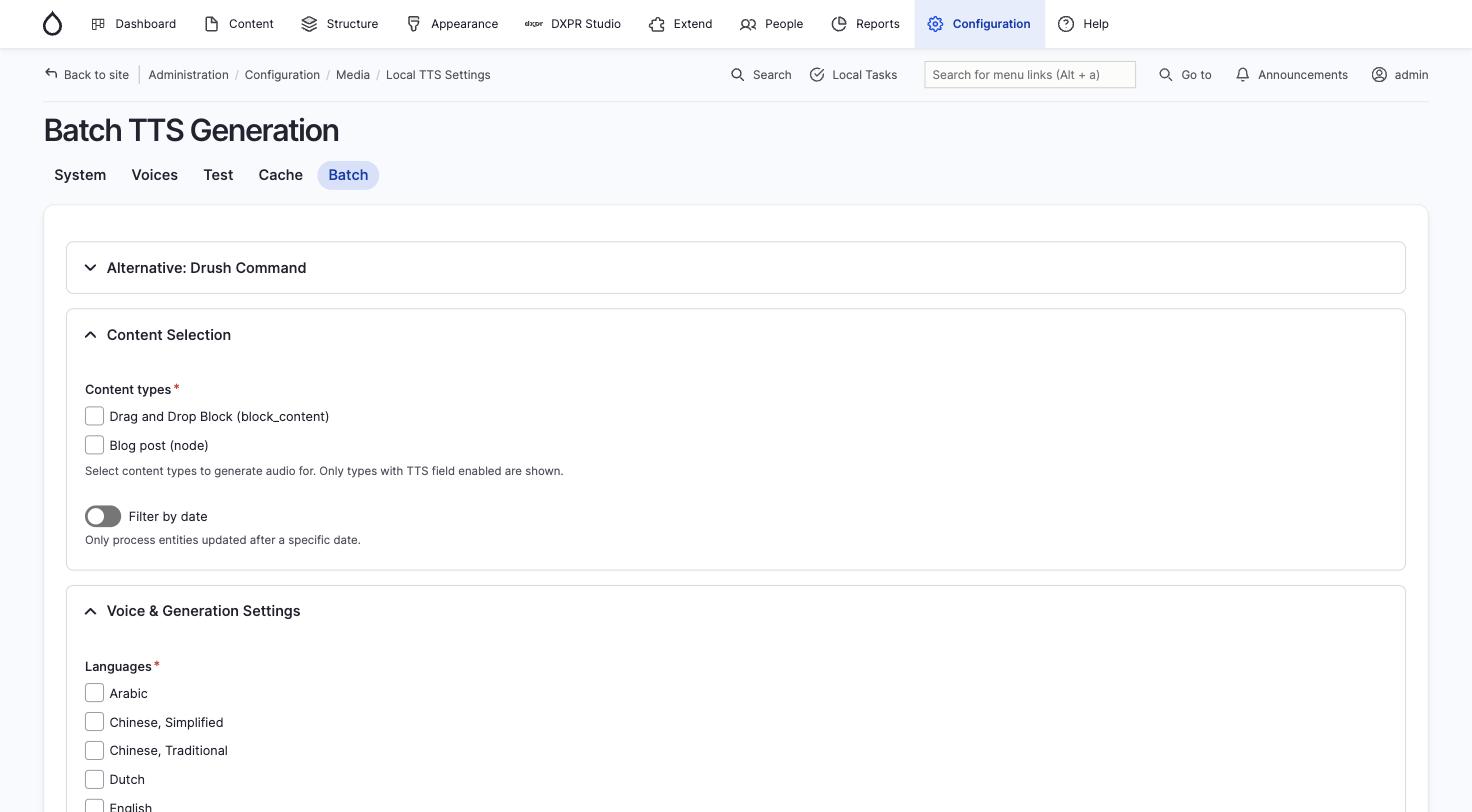
- Content types: select which content types to process (only types with a TTS field enabled are shown)
- Filter by date: optionally process only entities updated after a specific date
- Languages: select which languages to generate audio for
- Voice and speed: choose voice and speed settings for the batch
- Click Generate to start processing
The batch runs via Drupal's Batch API with a progress bar. It includes retry logic with exponential backoff for transient failures and database keepalive for long-running batches.
Drush batch command
# Generate audio for 10 English articles
drush local-tts:batch --entity-type=node \
  --bundle=article --language=en --limit=10

# Multiple languages
drush local-tts:batch --entity-type=node \
  --bundle=page --language=en,es,fr

# Force regeneration of existing cached files
drush local-tts:batch --entity-type=node \
  --bundle=article --force

# Only process entities updated since a specific date
drush local-tts:batch --entity-type=node \
  --bundle=article --updated-after=2026-01-01

# Preview how many entities would be processed
drush local-tts:batch --entity-type=node \
  --bundle=article --dry-run
See Drush Commands for the full option reference.