Extra Field Integration
The extra field (also called a pseudo-field) provides a TTS player without adding a real field to the database. It appears in Manage Display for every fieldable entity type and can be toggled on or off per display mode.
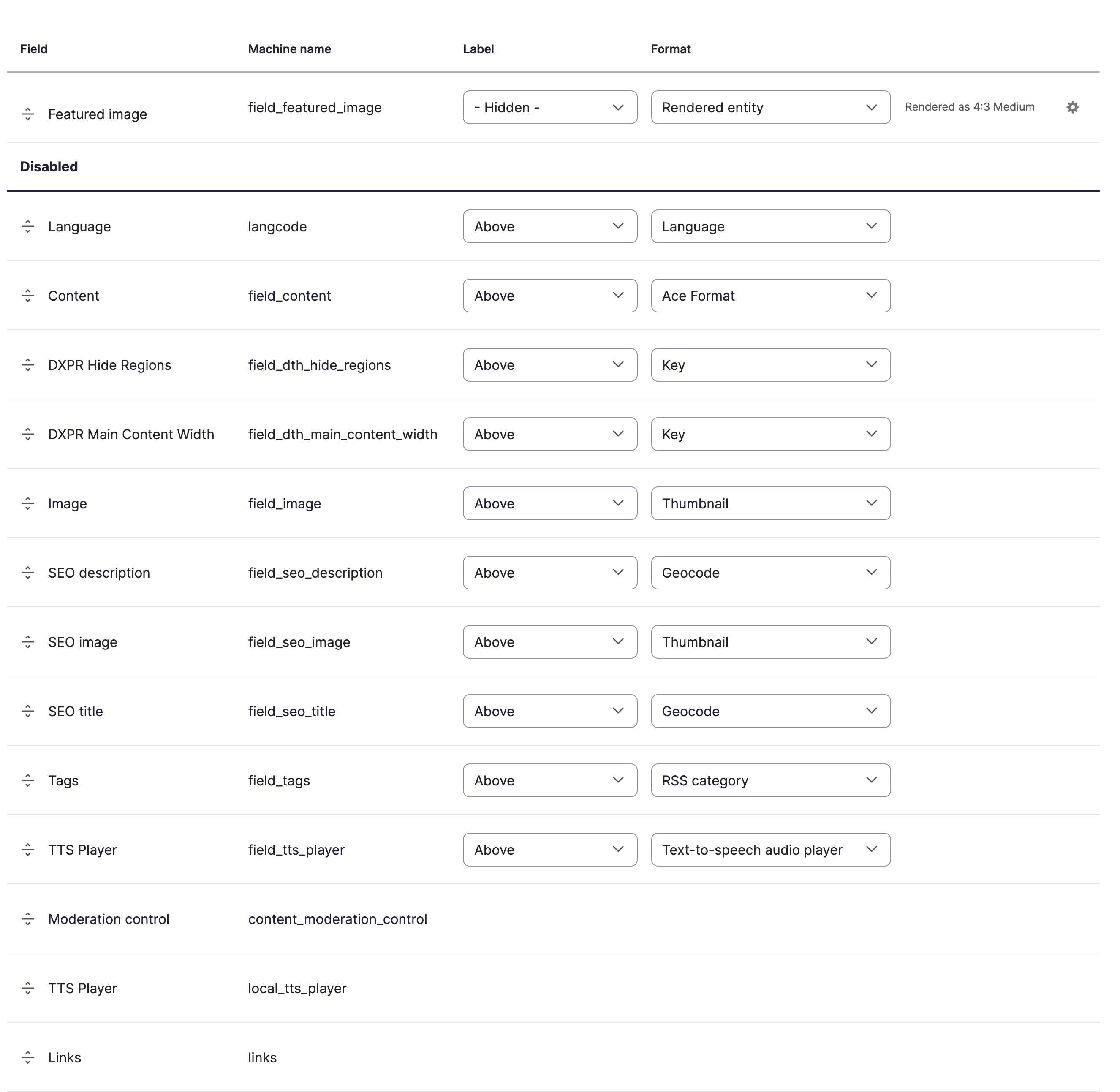
Enable the extra field
- Go to Structure > Content types > [Your type] > Manage display
(
/admin/structure/types/manage/[type]/display) - Find TTS Player in the field list (it appears automatically for all content types)
- Drag it from the Disabled section to the desired position
- Click Save
Configuration
The extra field uses the site-wide voice and speed defaults from the Voices tab. There are no per-field formatter settings; to override voice or speed per content type, use the entity field instead.
See it in action
How it differs from the entity field
| Extra field | Entity field | |
|---|---|---|
| Database storage | None | Field storage created |
| Per-bundle voice/speed | No (uses site defaults) | Yes (formatter settings) |
| Available on | All entity types automatically | Added per content type |
| Setup | Toggle in Manage Display | Add field, then configure |
When to use this method
- You want TTS on specific content types without adding a real field
- Site-wide voice/speed defaults are sufficient
- You want the player on entity types beyond nodes (taxonomy terms, media, custom entities)
- You want a quick setup: no field creation, just toggle in Manage Display
Limitations
- No per-content-type voice or speed overrides
- No per-display-mode formatter settings beyond position and visibility